AI Workflow Automation Tools for UAE Companies: What to Buy First
A UAE buyer guide to Zapier, Make, n8n, Power Automate, and custom workflow controls for CRM, WhatsApp, approvals, logs, and PDPL risk.

Buy the workflow tool last. For a UAE company, the first decision is whether the workflow can live in a SaaS automation tool, needs Microsoft-tenant governance, or must run in a self-hosted/custom layer with human approvals and audit logs.
The Verdict: Match The Tool To The Risk
Zapier and Make are the fastest buys for low-risk SaaS movement. Power Automate is the cleaner choice when Microsoft 365, Dynamics, SharePoint, Entra ID, and IT policy already govern the company. n8n becomes the serious option when technical control, self-hosting, or custom connectors matter. A custom governed workflow layer is the right answer when the business risk is not the automation itself, but the approval, evidence, and data-handling record around it.
The wrong purchase pattern is buying the easiest automation tool, then trying to add governance later. In a UAE company, the real question is not "which tool has the most apps?" It is: which workflow can move customer, employee, property, clinic, or finance data without creating a weak audit trail?
The clean decision rule is simple: use SaaS tools for low-risk movement, use Microsoft if the company already lives inside Microsoft governance, use n8n when control justifies technical ownership, and build the governed layer when the workflow will be reviewed by management, a regulator, or a serious enterprise buyer.
For the broader provider-selection question, the existing guide on AI automation services in the UAE covers how to scope the service before comparing vendors. The route-choice question sits one layer lower: which tool should sit inside that scope.
Price And Limits That Change The Decision
The public price is only useful after you understand the unit being priced. Zapier prices around tasks, Make prices around credits, n8n prices around full workflow executions, and Power Automate prices by user or bot. That difference matters more than the headline monthly fee once AI steps, CRM updates, WhatsApp replies, and approval loops start running every day.
Zapier: Buy It For Speed, Not Heavy Governance
Zapier is the cleanest first buy when the workflow is simple: capture a lead, enrich a row, create a task, notify a team, or update a CRM field after a clear trigger. The pricing page says Free includes 100 tasks per month, Professional starts from $19.99/month billed annually, and Team starts from $69/month billed annually with 25 users.

The useful detail is not just the price. Professional adds multi-step Zaps, unlimited premium apps, Webhooks, AI fields, and conditional form logic. Team adds shared Zaps and folders, shared app connections, SAML SSO, and Premier Support. Enterprise adds advanced admin permissions and app controls, VPC Peering, annual task limits, Observability, and a Technical Account Manager at a set threshold or as an add-on.
Use Zapier for UAE workflows where speed beats architecture: a real-estate brokerage that wants new portal leads copied into a CRM, a services company that wants form submissions routed to a shared inbox, or a clinic admin team that wants non-clinical appointment requests turned into tasks. Keep the first version narrow: one trigger, one data owner, one approval point, and a short list of fields allowed to move.
Do not use Zapier as the control system for sensitive decisions. If a workflow decides whether a patient gets a message, whether a payment issue is escalated, whether a tenant receives a legal notice, or whether a finance record is changed, Zapier can still be a connector, but the approval and audit record should live in a stronger control layer.
Make: Buy It When Operations Need Visible Logic
Make is usually stronger when the operations team needs to see the workflow as a scenario: routers, filters, branches, retries, data transforms, and execution history. The pricing page says each module action counts as one credit. Free includes up to 1,000 credits/month. Core is $12/month, Pro is $21/month, and Teams is $38/month at 10,000 credits/month. Enterprise uses custom pricing.

Make also lists 3,000+ standard apps and 350+ AI apps. Free runs have a 15-minute minimum interval; Core, Pro, Teams, and Enterprise can run at a 1-minute minimum interval. Free scenarios have a 5-minute maximum execution time; paid plans listed on the page have 40 minutes. Detailed execution logs are kept for 7 days on Free, 30 days on Core/Pro/Teams, and 60 days on Enterprise. Pro includes full-text execution log search.
That makes Make useful for a UAE operations workflow with visible branching. A property lead can arrive from WhatsApp or a landing page, be checked against CRM records, routed by language, matched to a community specialist, and held for approval before the outbound message is sent. The team can inspect the scenario and see where it failed.
The cost watch-out is credit drift. If one lead uses five modules, the cost model behaves differently from a tool that charges once per full execution. The governance watch-out is log retention. If the workflow is material to customer service, complaints, finance operations, or regulated handover, decide before launch where the durable log will live after the platform's own execution-log window expires.
n8n: Buy It When Control Is Worth The Operating Burden
n8n is the best fit when the workflow needs code, custom APIs, self-hosting, or deeper technical ownership. The pricing page says Starter is $20/month billed annually for 2.5K workflow executions with unlimited steps, 1 shared project, 5 concurrent executions, unlimited users, and 50 AI Workflow Builder credits. Pro is $50/month billed annually for 10K workflow executions, 3 shared projects, 20 concurrent executions, 7 days of insights, admin roles, global variables, workflow history, and execution search.

The serious governance point starts at Business and Enterprise. Business is $800/month billed annually, self-hosted, and includes 40K workflow executions, SSO/SAML/LDAP, 30 days of insights, different environments, scaling options, and version control using Git. Enterprise can be hosted by n8n or self-hosted and includes 200+ concurrent executions, 365 days of insights, external secret store integration, log streaming, extended data retention, dedicated support with SLA, and invoice billing. The page also says a standard self-hosted Community Edition is available on GitHub.
n8n charges for full executions, not for each step. That matters when an AI workflow has many internal steps: fetch a record, classify text, run a policy check, call a model, write a draft, ask for approval, update a CRM, and log the final action. On a step-priced platform, each move can consume the usage unit. On n8n, the public pricing page frames the unit as the full execution.
The tradeoff is ownership. Self-hosting is not a magic compliance answer. It means someone must patch the instance, protect secrets, configure backups, monitor failures, control access, review custom code, and prove what happened. For a UAE team with technical capacity, that can be worth it. For a lean operator without an engineering owner, n8n can create a new operational risk while solving the data-control problem.
Power Automate: Buy It When Microsoft Is Already The Governance Surface
Power Automate is the practical choice when the company's real workflow surface is Microsoft: Outlook, SharePoint, Teams, Dynamics, Dataverse, Excel, Power BI, Entra ID, and Microsoft admin policies. Microsoft lists Power Automate Premium at $15 user/month paid yearly, Power Automate Process at $150 bot/month paid yearly, and Power Automate Hosted Process at $215 bot/month paid yearly.

Premium includes cloud flows, attended desktop flows, process and task mining with 50 MB data stored, and Dataverse entitlements of 250 MB database and 2 GB file. Process includes cloud flows, unattended desktop flows, and Dataverse entitlements of 50 MB database and 200 MB file. Hosted Process adds a Microsoft hosted virtual machine.
Microsoft's pricing page also displayed "This product is not available in your market" beside the plan cards. Treat that as a buying signal, not a reason to ignore the tool. Confirm the UAE commercial route, tenant eligibility, and licensing through Microsoft or a local Microsoft partner before relying on the public US price.
Power Automate is strongest when approval, identity, and document history already live in Microsoft. A finance team can trigger a flow from a SharePoint upload, route it through Teams approval, write the decision to Dataverse, and keep access under Microsoft admin policy. If the workflow needs public web forms, many marketing apps, or fast lightweight SaaS links, Zapier or Make may move faster. If the workflow needs self-hosted custom logic, n8n or a custom layer may be cleaner.
Custom Governed Layer: Build It When The Evidence Is The Product
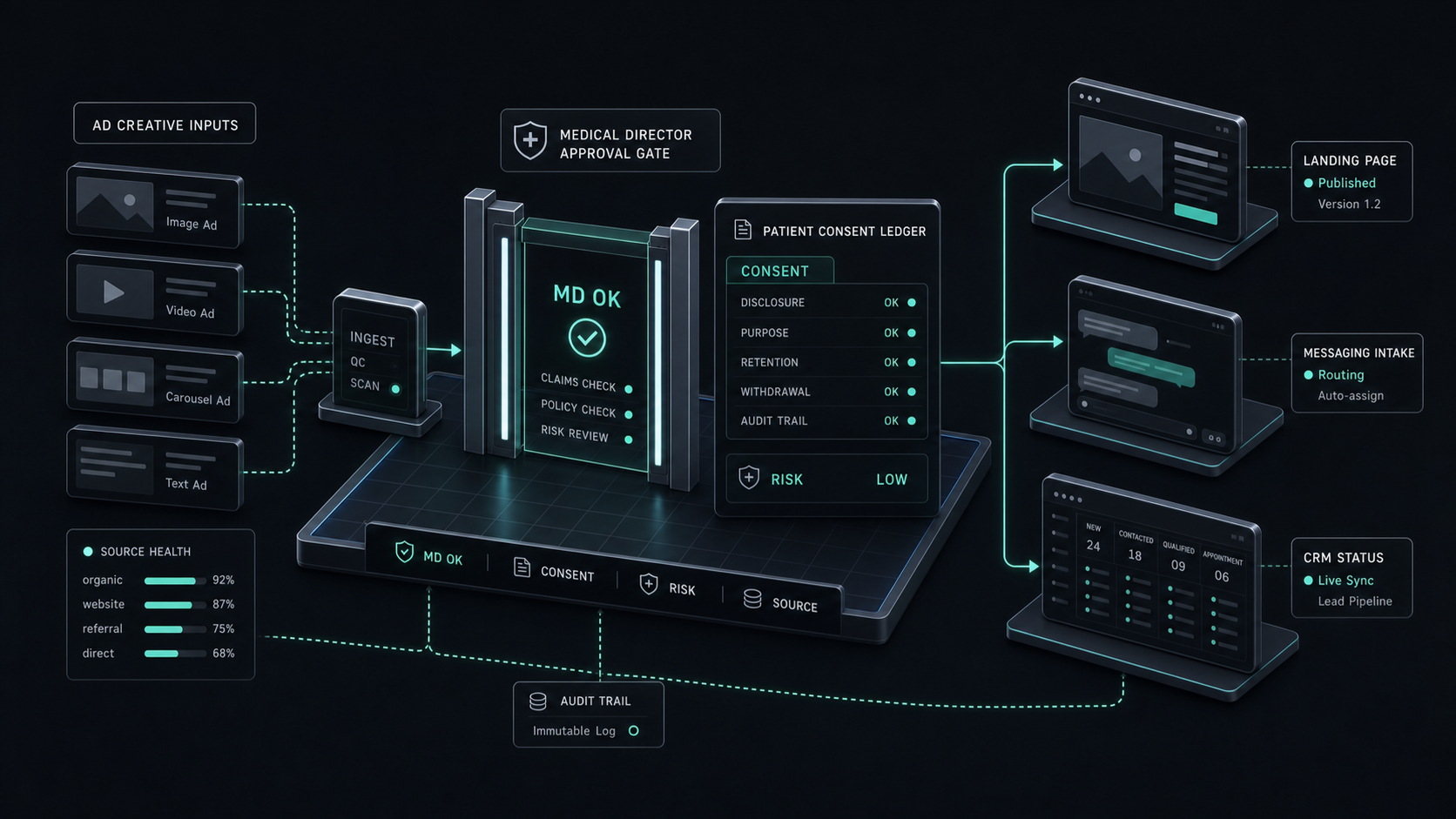
A custom governed layer is not a vanity build. It is justified when the workflow itself becomes evidence: who approved a customer message, which source record was read, which AI prompt was used, which fields were changed, which vendor touched the data, and where the final record was stored.
This route fits UAE workflows where a generic tool cannot own the control layer: clinic admin intake that touches patient data, a DIFC or ADGM fund workflow that routes investor documents, a brokerage workflow that decides which lead gets which property claim, or a board-visible procurement process where vendor outputs must be explainable.
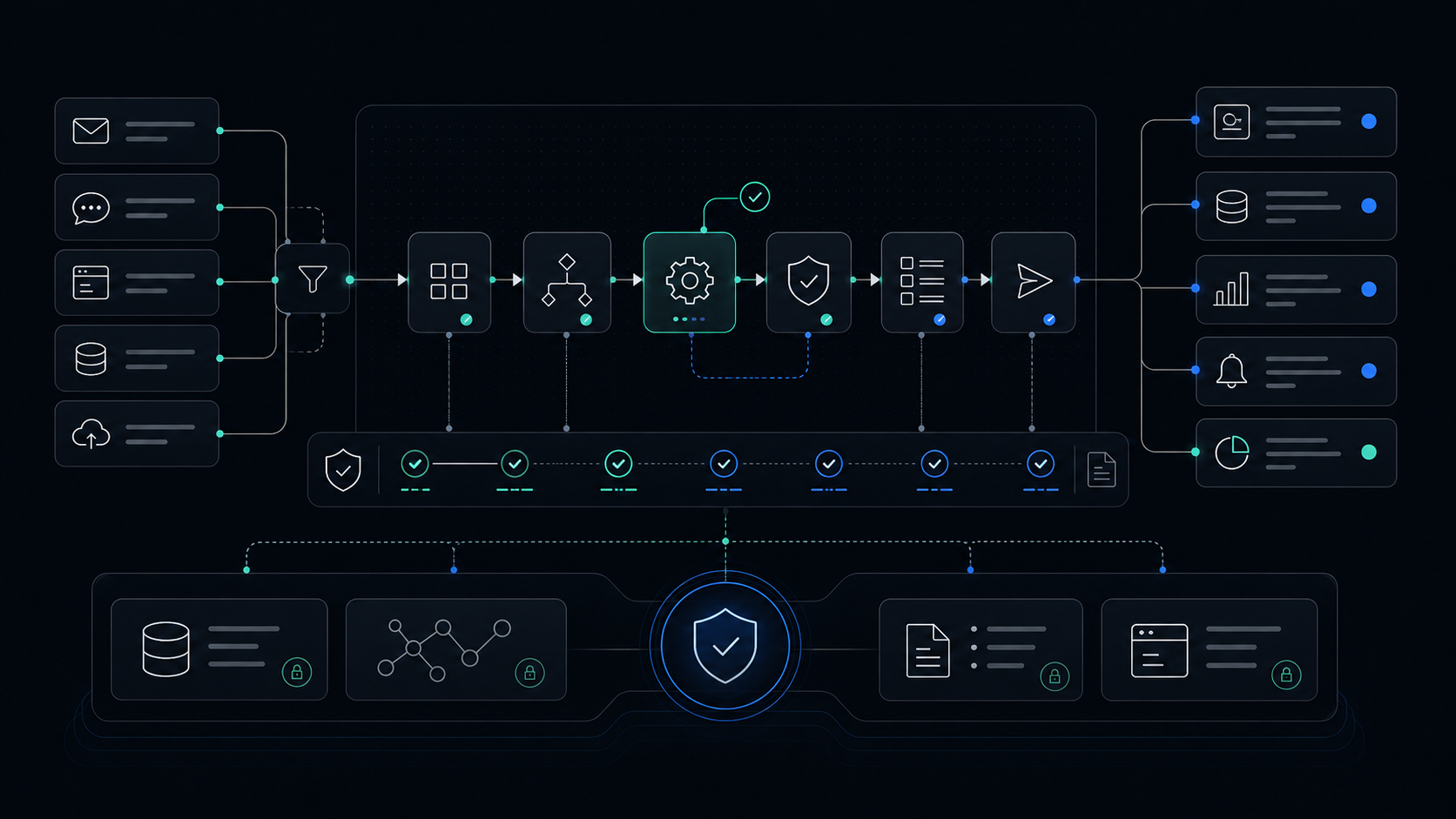
The build does not need to replace every automation platform. In practice, the custom layer can sit above the tools: one approval console, one audit log, one data minimization rule, and carefully selected connectors underneath. That is often cheaper and cleaner than forcing a SaaS automation platform to behave like a compliance system.
The UAE Governance Layer
PDPL is the floor, not a footnote. The UAE Personal Data Protection Law, Federal Decree Law No. 45 of 2021, is described by the UAE official portal as an integrated framework for confidentiality, privacy, data-management governance, and the rights and duties of the parties involved. The portal says the law applies to personal-data processing through electronic systems, in full or in part, inside or outside the country. It came into force on 2 January 2022.
That matters because workflow tools move data by design. A harmless-looking automation can pull a WhatsApp message, send the text to an AI step, write a summary into a CRM, notify a salesperson, and store the execution log in a vendor system. If the message contains personal data, the tool choice is also a data-handling choice.
The UAE official portal also says the law defines processing controls and general obligations for companies that hold personal data to secure it and maintain confidentiality and privacy. It says personal data processing is prohibited without consent except for listed cases, and that data owners can request correction of inaccurate personal data and restrict or stop processing. It also says the law sets requirements for cross-border transfer and sharing of personal data for processing purposes.
For an operator, the practical design rule is this:
- Move the smallest useful field set, not the full record.
- Store the source record in the system of record, not inside every automation step.
- Put human approval before external customer messages, regulated decisions, finance changes, medical-adjacent admin actions, and high-value property claims.
- Log the trigger, source system, AI input, AI output, approver, final action, destination system, and failure state.
- Decide where the durable audit record lives before launch.
- Review cross-border data movement before connecting tools that process or store personal data outside the company's approved environment.
The UAE Data Office is the federal data regulator described by the UAE official portal. Its responsibilities include preparing policies and legislation related to data protection, proposing and approving standards for monitoring PDPL, preparing complaint and grievance systems, and issuing guidelines and instructions for implementation. That is the reason a serious automation scope should be explainable in plain language: what data moves, why it moves, who approves it, who can see it, how long it is retained, and how a data-owner request can be handled.
If your company is in DIFC, ADGM, healthcare, financial services, insurance, government contracting, or a high-trust B2B sector, map the workflow against the specific regulator and contract stack as well. The tool is only one part of the answer. The control model is what survives review.
For a deeper tool-versus-control discussion, the guide on AI governance tools for UAE companies covers when to buy a governance platform and when to build the control layer.
A UAE WhatsApp And CRM Reference Workflow
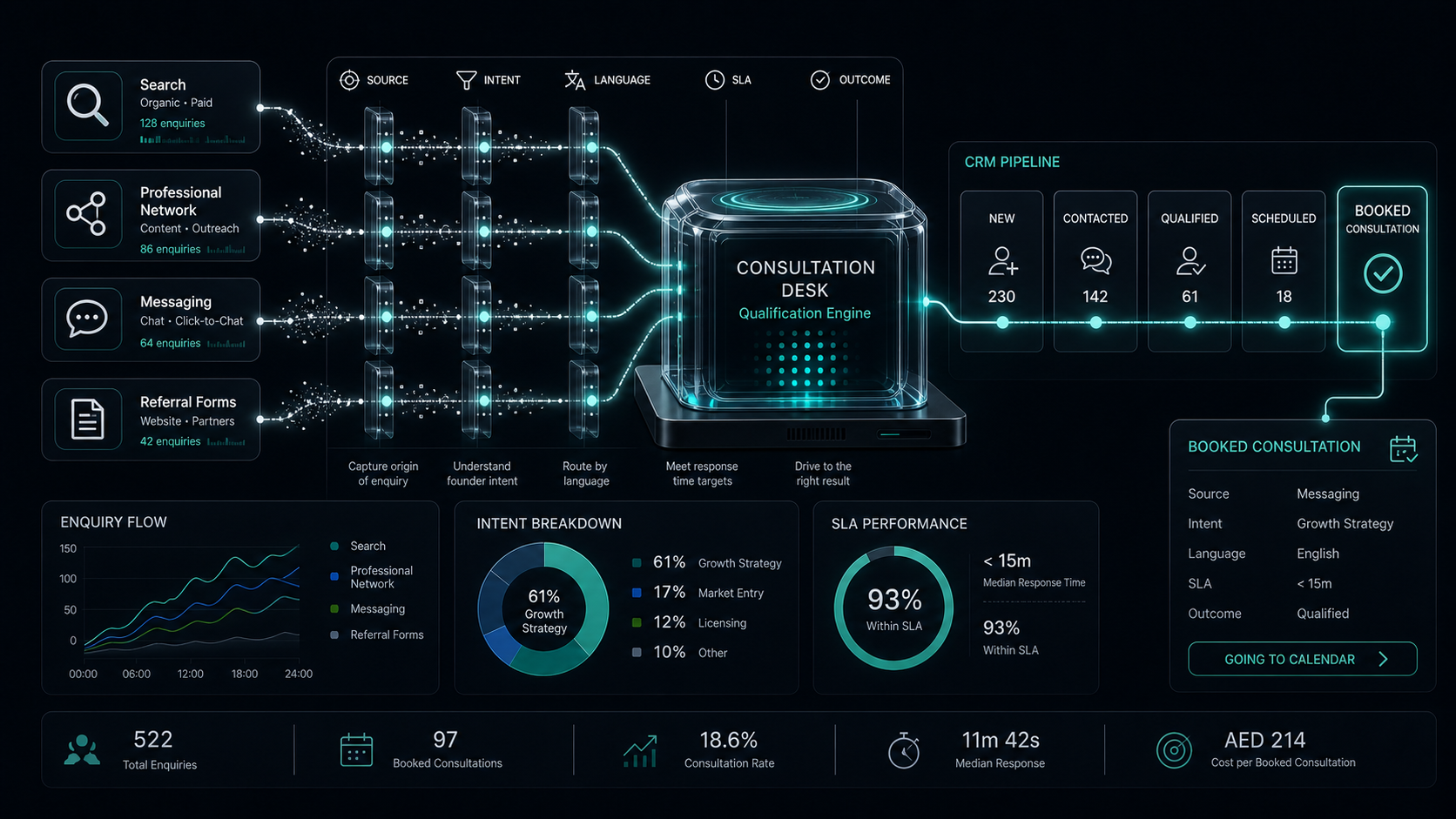
A good first workflow prepares a decision, but does not silently own it. For a UAE real-estate, clinic admin, or services team, the safest pattern is to use AI for classification, drafting, and routing, then require a human approval before the workflow sends anything external or changes a sensitive record.
Capture The Request
Start with one inbound channel, such as WhatsApp, a website form, or a shared inbox. Store the raw request in the system of record before the automation transforms it. For a brokerage, that might be the CRM lead record. For a clinic admin team, it might be the scheduling or support system, not a diagnosis system.
Classify Intent And Language
Classify the request into a small set of operating categories: new lead, follow-up, complaint, appointment change, document request, or wrong channel. Record the detected language because UAE workflows often switch between Arabic and English. Do not let the AI step invent the business status. It should suggest a label, not finalize the customer record.
Check The Record Before Acting
Before creating a new task or CRM contact, check for duplicates and recent activity. A weak automation creates duplicate leads, sends repeat replies, and hides the true customer history. A strong automation reads the source record, writes a proposed action, and flags missing information.
Draft, Then Ask For Approval
Let the AI draft the reply or internal note, but require approval before it sends a WhatsApp message, email, quote, appointment change, or document request. The approver should see the original message, the proposed reply, the source fields used, and any policy warning.
Write The Audit Log
After approval, write the final action back to the system of record. The log should include the trigger, source system, fields read, AI output, approver, final message or update, timestamp, and failure path. If the platform's native log retention is too short for the workflow, export the durable record elsewhere.
Here is how the tool choice changes that reference workflow:
The reference workflow is intentionally narrow. Do not start with every customer journey, every channel, and every department. Start with one operational moment where the handoff is repeated, costly, and visible. Then decide what gets automated, what gets approved, and what gets logged.
What Breaks In Production
The first production failure is hidden data movement. A workflow that copies full messages, attachments, notes, and CRM fields into every downstream tool is harder to explain and harder to control. The fix is field minimization: pass only the fields needed for the next action, then keep the full record in the system of record.
The second failure is missing approval context. A Teams or Slack approval button is not enough if the approver cannot see what the AI read and what it is about to change. The approval screen should show the source message, proposed action, sensitive-field warning, destination system, and fallback path.
The third failure is cost drift. Zapier tasks, Make credits, n8n executions, and Power Automate users or bots are different cost surfaces. A workflow that looks cheap in a demo can become expensive when every lead runs multiple branches, AI steps, retries, and notifications. Price the expected operating pattern, not the first happy path.
The fourth failure is weak log retention. Make's public pricing page lists 7 days of detailed logs on Free, 30 days on Core/Pro/Teams, and 60 days on Enterprise. n8n Pro lists 7 days of insights, Business 30 days, and Enterprise 365 days. If the workflow needs longer evidence, export the audit event into a durable store.
The fifth failure is bilingual data mismatch. Arabic and English lead messages can create duplicate customer names, inconsistent area names, and different spellings of the same company. A production workflow should normalize language, keep the original text, and avoid overwriting human-entered fields without approval.
The sixth failure is pretending the tool is the governance system. A workflow platform can run the steps. It does not automatically define legal basis, cross-border transfer handling, retention, human approval, or regulator-ready evidence. Those have to be designed into the scope.
What is the best AI workflow automation tool for a UAE company?
The best tool depends on the risk of the workflow. Use Zapier or Make for low-risk SaaS workflows, Power Automate for Microsoft-heavy teams, n8n self-hosted when technical control matters, and a custom governed layer when approvals, audit trails, and data handling are central.
Is free AI workflow automation good enough for production?
Free plans are useful for testing a workflow shape, not for operating a controlled production process. Production workflows need ownership, error handling, log retention, approval context, support, and a clear data-handling model.
Is n8n better than Zapier or Make for AI workflow automation?
n8n is better when self-hosting, custom APIs, code, and execution-level control matter. Zapier and Make are faster when the workflow is simple, SaaS-heavy, and low risk.
When should a UAE company choose Power Automate?
Choose Power Automate when Microsoft is already the operating surface: Outlook, Teams, SharePoint, Dynamics, Dataverse, Entra ID, and Microsoft admin policy. Confirm UAE commercial availability and licensing through Microsoft or a local partner before buying against the public US price.
Do UAE companies need data residency for AI workflow automation?
Not every workflow requires UAE hosting, but personal data, regulated records, and cross-border transfers need legal review and a design that minimizes unnecessary vendor data movement. If the workflow cannot send data through a global SaaS tool, self-hosted n8n or a custom governed layer becomes more relevant.
Should we build or buy AI workflow automation?
Buy when the workflow is standard and low risk. Build the control layer when the business must prove who approved an action, what data moved, which AI output was used, and how the final record changed.
The Durable Takeaway
The best AI workflow automation tool is the one that fits the workflow's control burden. A low-risk lead notification can run on Zapier or Make. A Microsoft approval workflow belongs in Power Automate. A technical, data-sensitive workflow may justify n8n. A regulated or board-visible workflow needs a governed layer that treats approvals, logs, data minimization, and auditability as first-class features.
Scope Your Workflow Automation
Map the workflow, tool choice, approvals, logs, data handling, and rollout plan before buying the stack.
Jun 4, 2026